Switching from Jobber?
The best Jobber alternative for cleaning businesses
Jobber is a well-built, established tool used across more than 50 field-service trades, from landscaping to HVAC. If you run a multi-trade operation, it is a serious option. But organizing the work was never the part that eats your evenings: the client texts, the quotes, the invoices, and the follow-ups are. That is the job Eva takes off your phone.
No credit card. Import your Jobber data in under a day.

Eva
AI manager for cleaning businesses
Eva is an AI manager built specifically for cleaning businesses. She books jobs, sends quotes and invoices, answers client texts, chases late payments, and asks for reviews, on her own, in English and Spanish. You stay in control; she does the typing.
14 days free, no credit card
Jobber
A multi-trade toolkit, versus an AI manager built for cleaning.
Jobber is field-service management software used across more than 50 home-service trades, from landscaping to HVAC. For cleaning it covers quoting, scheduling, invoicing, payments, and a client hub, all in a polished, well-supported package built to handle almost any service business.
Why cleaning business owners look for a Jobber alternative
Jobber is a well-built, established tool used across more than 50 field-service trades, from landscaping to HVAC. If you run a multi-trade operation, it is a serious option. The switch usually starts with what it does not do:
Built only for cleaning
With Eva: Eva is not a generalist. Every workflow, every word, every default is shaped for a residential cleaning business, not stretched across 50 trades.
A manager, not a toolbox
With Eva: Jobber gives you tools to operate. Eva does the operating: she schedules, dispatches, invoices, and follows up, then tells you what needs you.
Bilingual by default
With Eva: Eva talks to your clients and cleaners in English or Spanish, the way cleaning teams actually work.
Get your evenings back. Eva runs the admin from day one.
No credit card. Cancel anytime, keep your data.
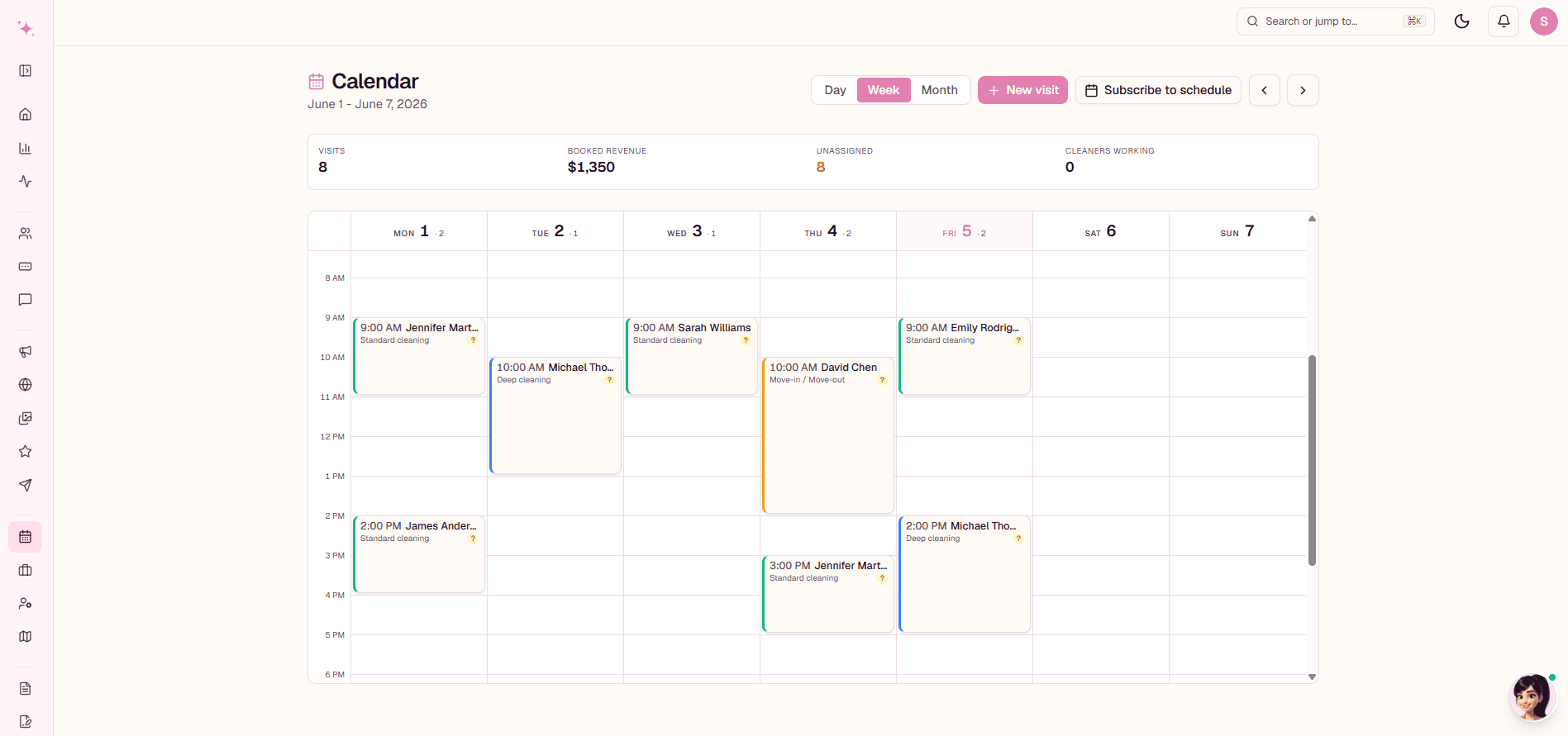
This is what running on Eva looks like
Your week, booked and color-coded, with the client messages, invoices, and follow-ups happening underneath it, on their own.
Eva vs Jobber, feature by feature
The basics on both sides, then the difference: who actually does the work.
What about the price?
Jobber sits at the higher end, with tiered monthly plans that climb as you add users and unlock features. For a cleaning-only business you often pay for breadth you will not use, and the real expense is the same as everywhere: the hours you still spend operating it.
Switching from Jobber takes a day, not a month
- 1
Export your clients and schedule from Jobber (or just connect your data and Eva imports it).
- 2
Eva sets up your services, rates, and reminders with you, in plain language.
- 3
Run both side by side during your free trial if you like: nothing breaks, nothing is lost.
Not sure Eva is the right fit? Our guide to the best cleaning business software in 2026 compares every serious option honestly, Jobber included.

Jobber alternative: FAQ
What is the best Jobber alternative for a cleaning business?
For a cleaning business specifically, Eva is the strongest Jobber alternative: she is built only for cleaning, and she runs the day for you (scheduling, dispatch, invoicing, client texts) instead of handing you a bigger toolkit. Generalist options like Housecall Pro or Workiz also compare to Jobber, but they leave the operating to you the same way Jobber does.
How much does Jobber cost?
Jobber uses tiered monthly plans that climb as you add users and unlock features, which places it at the higher end for a small cleaning business. The bigger cost is usually your time: the subscription buys tools, and you still do the operating every evening.
Is there a free alternative to Jobber?
Fully free tools exist, but they are usually simple schedulers that leave messaging, invoicing, and follow-up to you. Eva gives you 14 days free with no credit card, and our free cleaning tools (invoice generator, price calculator, checklist maker) cost nothing and need no account.
Is Jobber good for cleaning businesses?
Yes. Jobber is a capable, well-supported platform and plenty of cleaning businesses run on it. The trade-off is that it serves more than 50 trades, so nothing about it is shaped specifically for cleaning, and every workflow is yours to operate.
What is the main difference between Jobber and Eva?
Jobber gives you software to run your business. Eva runs it with you: she schedules, dispatches, invoices, and answers client texts in English or Spanish, then brings you only what needs a human decision.
How hard is it to switch from Jobber to Eva?
You bring over your clients, recurring visits, and prices, and the 14-day free trial gives you room to run both side by side before you commit. Most owners feel the difference in the first week, when the client texts stop landing on their phone.
Ready to stop doing Jobber's homework?
Eva books, schedules, invoices, and follows up for you. 14 days free, no credit card.